
By default, Paddle will email customers with their transaction receipts along with any instructions you have provided for products. The best way to preview the emails your customers will receive is to test your checkout integration using the full purchase & refund method.
We're redesigning our customer emails
We're gradually updating the look of all our customer emails to give them a cleaner, more modern design. You don't need to do anything. During the rollout, your customers may receive a mix of new and existing designs.
Customers may also receive the following emails:
- Invoice Pending Terms And Conditions
- Invoice Confirmed Terms And Conditions
- Invoice Updated
- Invoice Canceled
- Subscription Confirmation
- Subscription Billing Date Changed
- Subscription Price Changed
- Subscription Pause Request
- Subscription Paused
- Subscription Resumed
- Subscription Cancel Request
- Subscription Canceled
- Subscription Scheduled Change Canceled
- Transaction Receipt
- Transaction Credit - Full
- Transaction Credit - Partial
- Transaction Refund - Full
- Transaction Refund - Partial
- Retain Subscription Payment Failed
- Checkout Recovery With Discount
- Checkout Recovery Without Discount
- Free Trial Confirmation
- Paid Trial Confirmation
We have localized subscription and transaction emails only. See the Email Localization section for more details.
We have also introduced the Enhanced Billing Notifications, which are email reminders that ensure compliance with regulations across various jurisdictions and adherence to card scheme rules. These emails are:
Invoice Pending Terms And Conditions
When a new invoice has been issued, the buyer is asked to accept the terms and conditions before being able to view it.
Subject Line: Paddle invoice XXX-XXXXX is waiting for you for products provided by Company Name

Invoice Confirmed Terms And Conditions
When a new invoice has been issued and the buyer has already accepted the terms & conditions via the invoicing app, a confirmation email is sent.
Subject Line: Your invoice XXX-XXXXX from Company Name

Invoice Updated
When a credit has been issued against the invoice, an email is sent with the updated invoice.
Subject Line: Invoice XXX-XXXXX from Company Name has been updated

Invoice Canceled
When the invoice is canceled, an email is sent to notify the buyer not to make any payment.
Subject Line: Invoice XXX-XXXXX from Company Name has been canceled

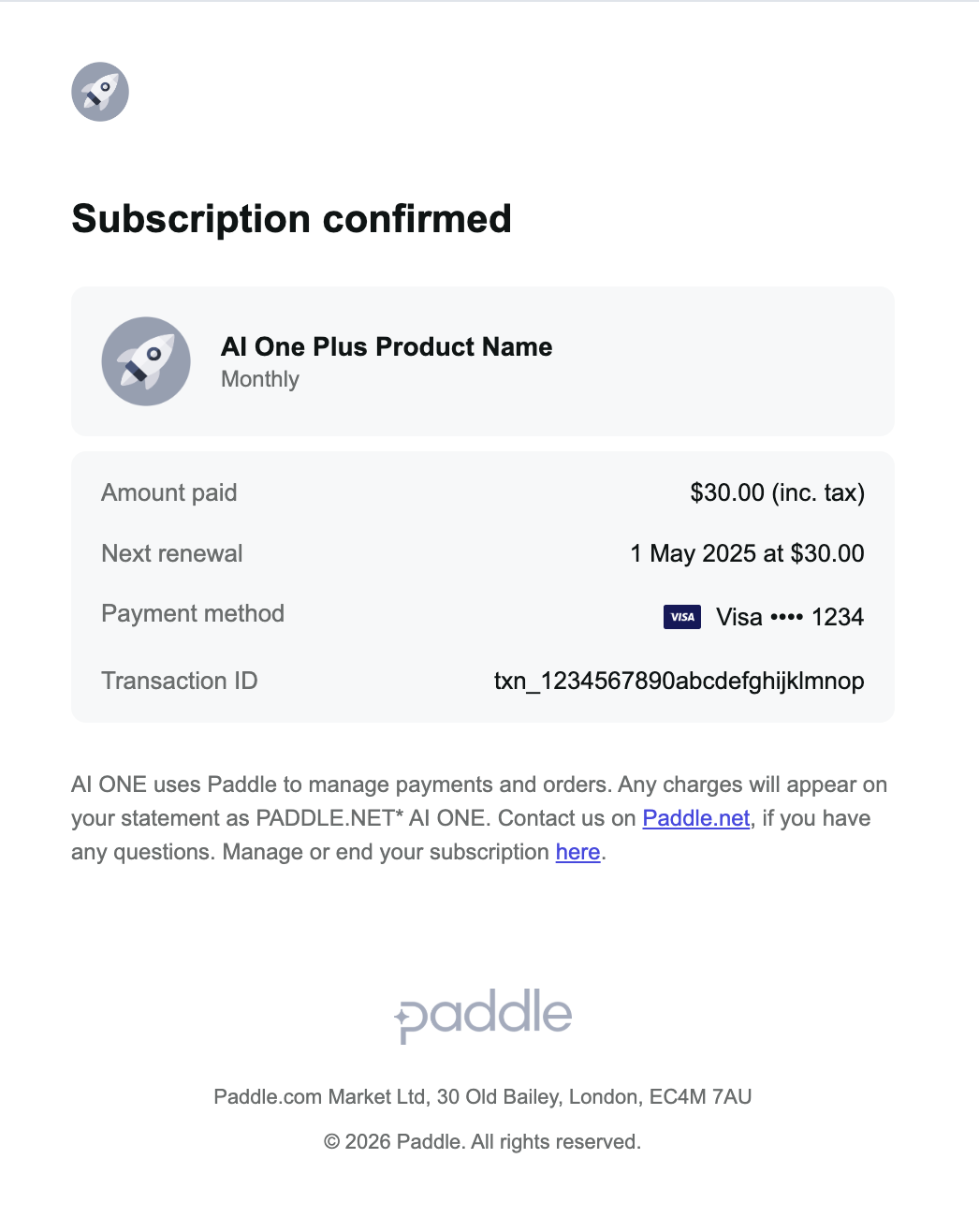
Subscription Confirmation
When a subscription has been created, an email is sent to confirm this.
Existing design
Subject Line: Welcome to Company Name

New design
Subject Line: Subscription confirmed
Subscription Billing Date Changed
When the billing date for a subscription has been changed, an email is sent to let the buyer know.
Subject Line: Your subscription billing date from Company Name has changed

Subscription Price Changed
When updating the items on a subscription causes the overall price to change, an email is sent to the buyer notifying them of this.
Subject Line: Your subscription from Company Name has been updated

Subscription Pause Request
When a subscription is scheduled to be paused, an email is sent to the buyer notifying them of this.
Subject Line: Your subscription for Company Name will be paused

Subscription Paused
When a subscription is paused, an email is sent to the buyer notifying them of this.
Subject Line: Your subscription for Company Name has been paused

Subscription Resumed
When a subscription is resumed, the buyer is notified.
Subject Line: Your subscription for Company Name has been resumed

Subscription Cancel Request
When a subscription has been scheduled for cancellation, the buyer is notified.
Subject Line: Your subscription for Company Name will be canceled

Subscription Canceled
When a subscription is canceled, an email is sent to the buyer notifying them of this.
Subject Line: Your subscription for Company Name has been canceled

Subscription Scheduled Change Canceled
When a scheduled change to cancel a subscription is canceled, we notify the buyer of this.
Subject Line: Your subscription for Company Name will remain active

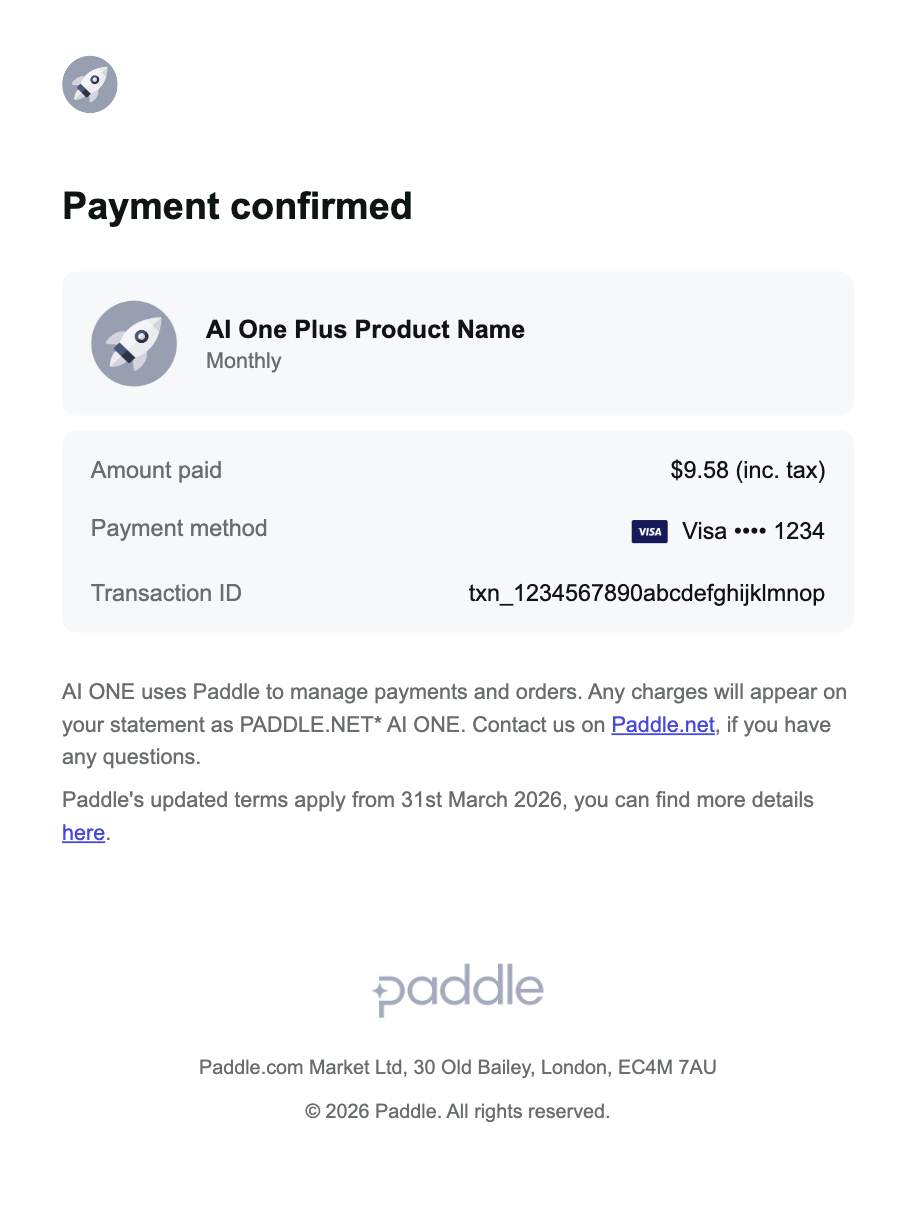
Transaction Receipt
When a paid transaction has been completed, the buyer is notified.
Existing design
Subject Line: Your receipt from Company Name

New design
Subject Line: Payment confirmed
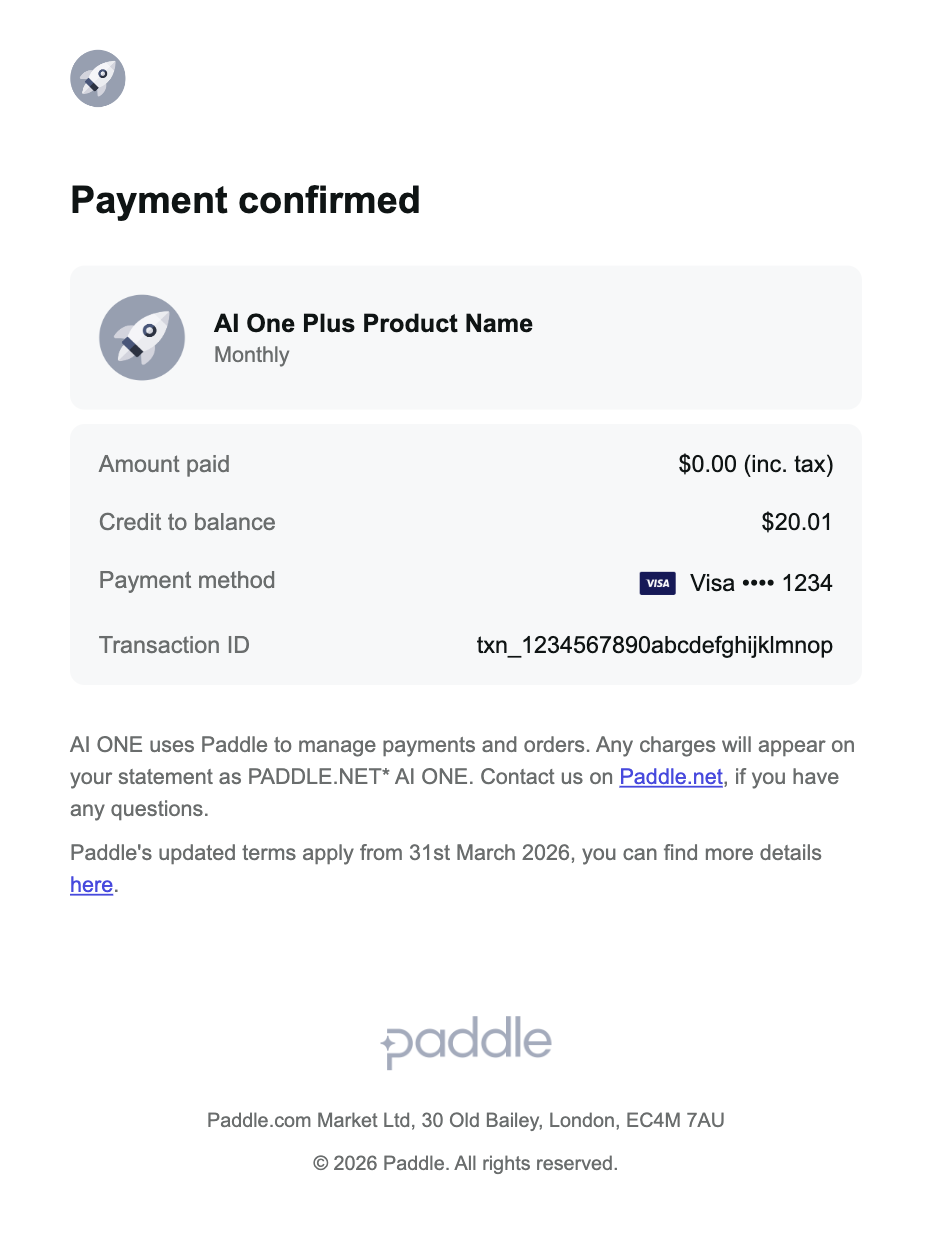
Transaction Credit - Full
When a full credit is issued against a transaction, the buyer is notified.
Existing design
Subject Line: Credit from Company Name

New design
Subject Line: Payment confirmed
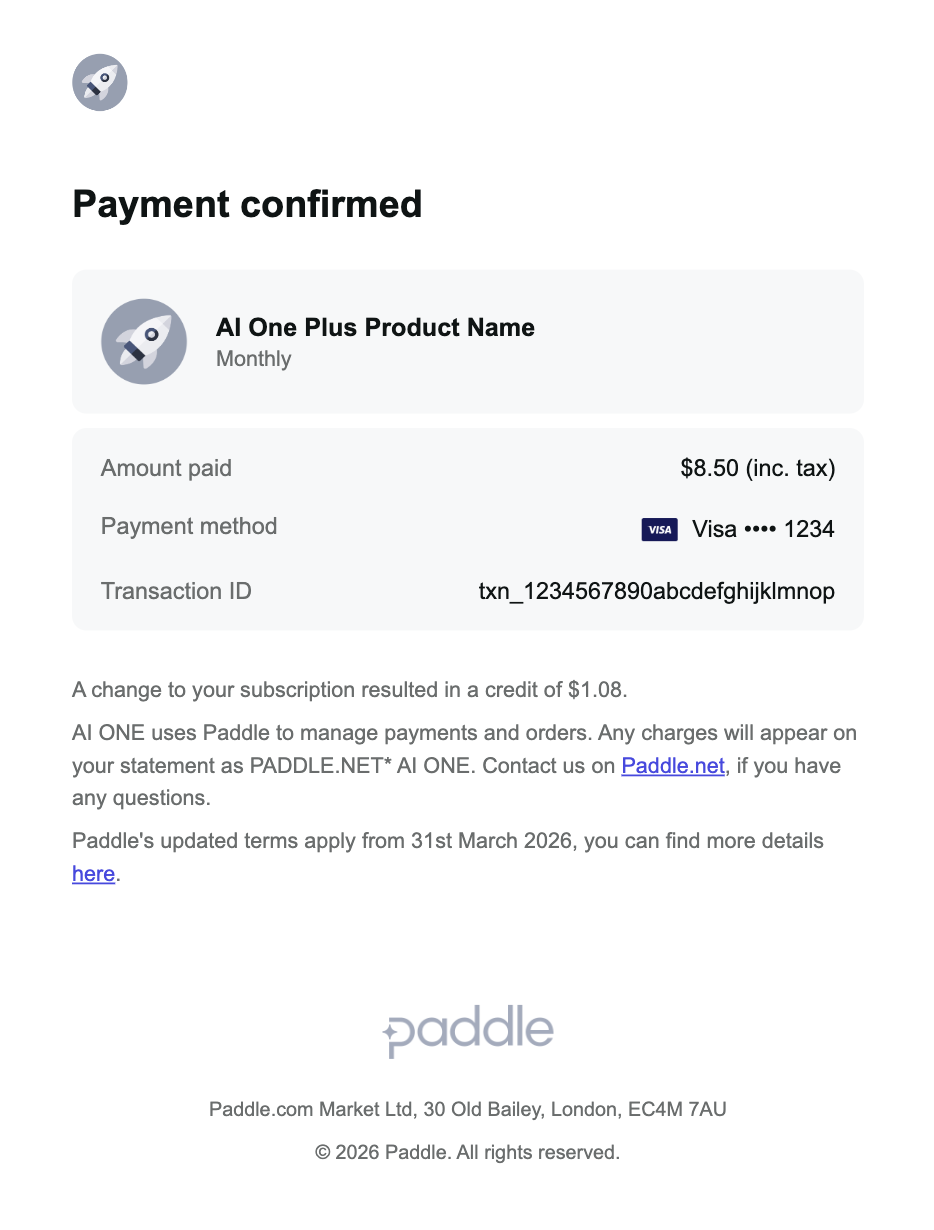
Transaction Credit - Partial
When a partial credit is issued against a transaction, the buyer is notified.
Existing design
Subject Line: Credit from Company Name

New design
Subject Line: Payment confirmed
Transaction Refund - Full
When a full refund is issued against a transaction, the buyer is notified.
Subject Line: Refund from Company Name

Transaction Refund - Partial
When a partial refund is issued against a transaction, the buyer is notified.
Subject Line: Refund from Company Name

Retain Subscription Payment Failed
When a subscription payment has failed, Retain notifies the buyer of this so that they're able to update their payment method.
Subject Line: Your 💳 payment for Company Name failed

Subject Line: 2nd notice: Another unsuccessful payment for your Company Name account

Subject Line: 3rd attempt: Unsuccessful payment for Company Name

Subject Line: Final notice: Need updated Company Name billing information

Email Localization
Paddle automatically translates these emails into the 16 languages currently supported in the Checkout: English, French, Portuguese, German, Spanish, Russian, Japanese, Italian, Polish, Dutch, Arabic, Chinese (simplified), Korean, Swedish, Danish, and Norwegian. This means customers will receive all subscription and transaction emails in the language they checkout in, which can help decrease involuntary churn and boost conversions in the post-purchase journey.
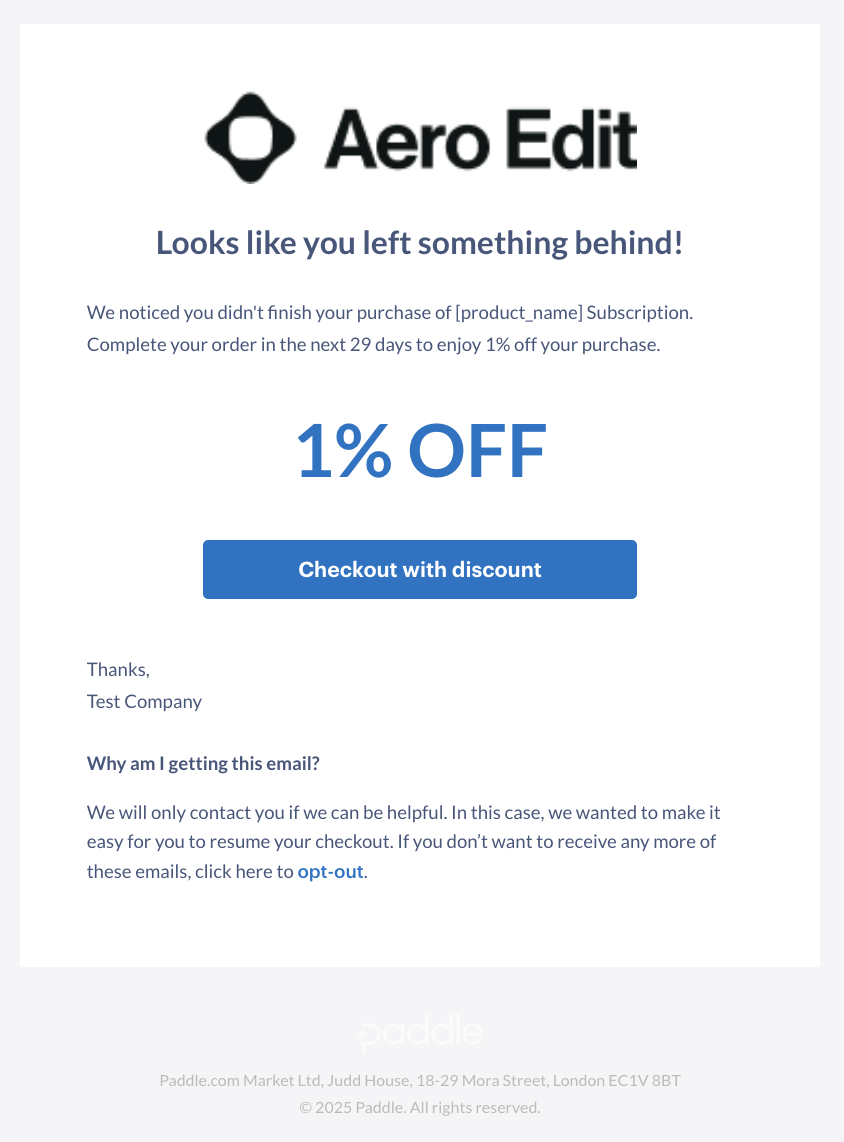
Checkout Recovery With Discount
Paddle will send an e-mail to customers who abandon the checkout to encourage them to complete it. An additional 10% transaction fee applies to checkouts we recover.
Subject Line: Finish your Product Name purchase...
Checkout Recovery Without Discount
Subject Line: Finish your Product Name purchase...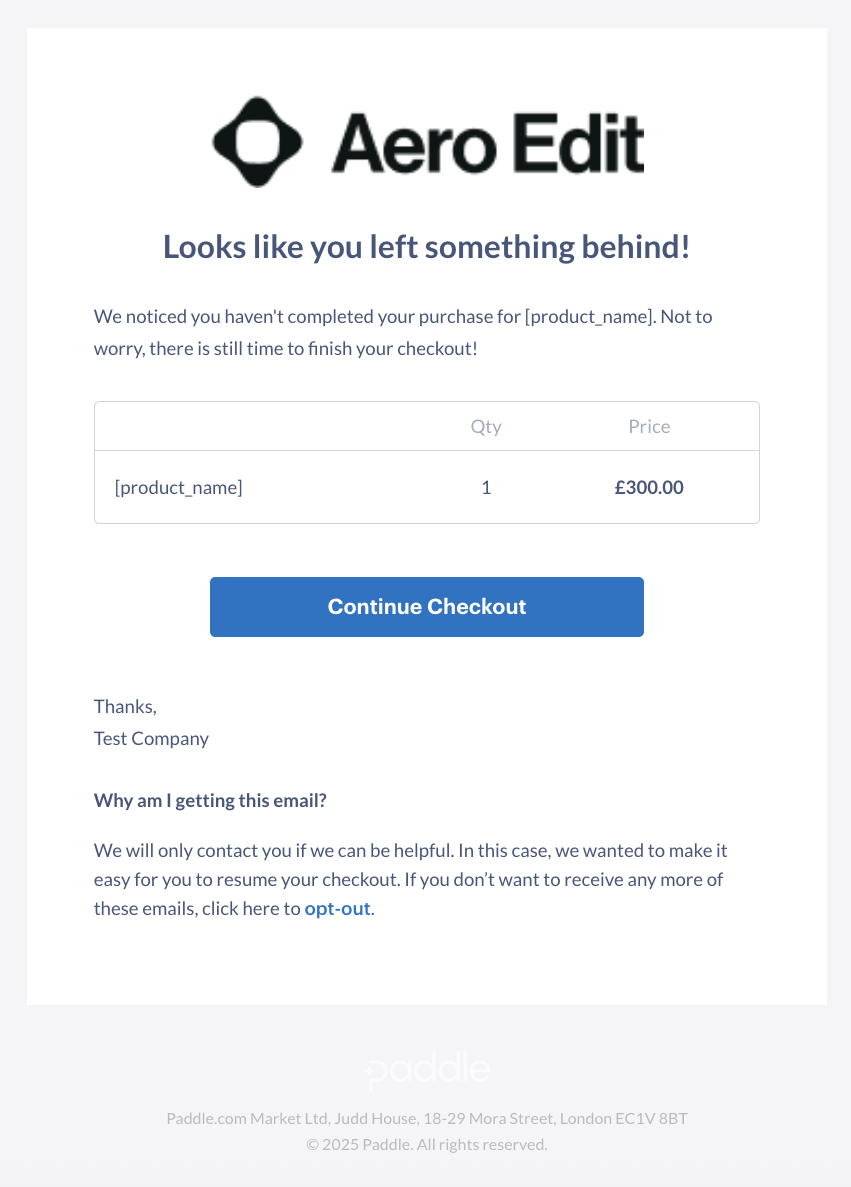
Free Trial Confirmation
When a subscription has been created with a free trial, an email is sent to confirm this.
Subject Line: Free trial confirmed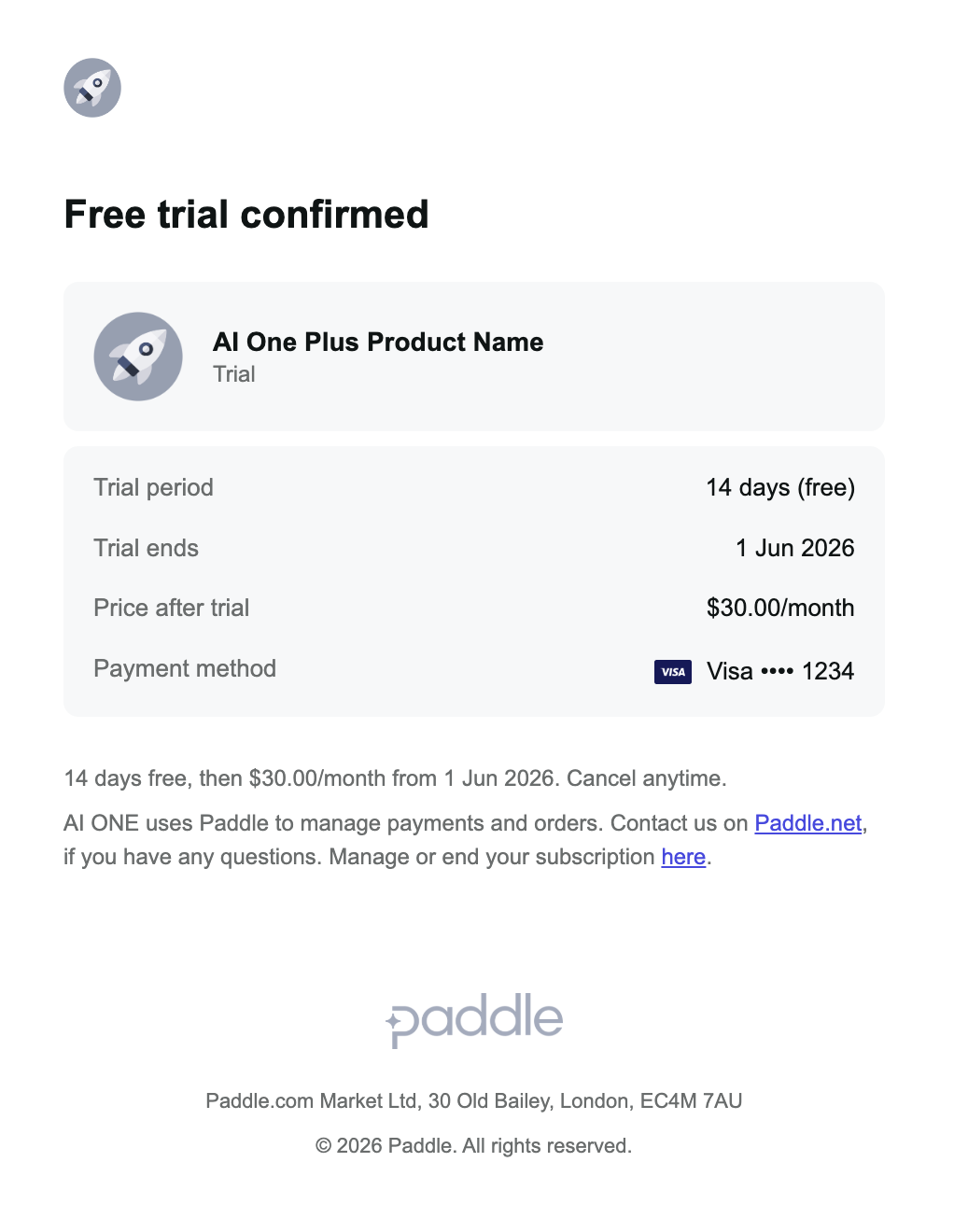
Paid Trial Confirmation
When a subscription has been created with a paid trial, an email is sent to confirm this.
Subject Line: Paid trial confirmed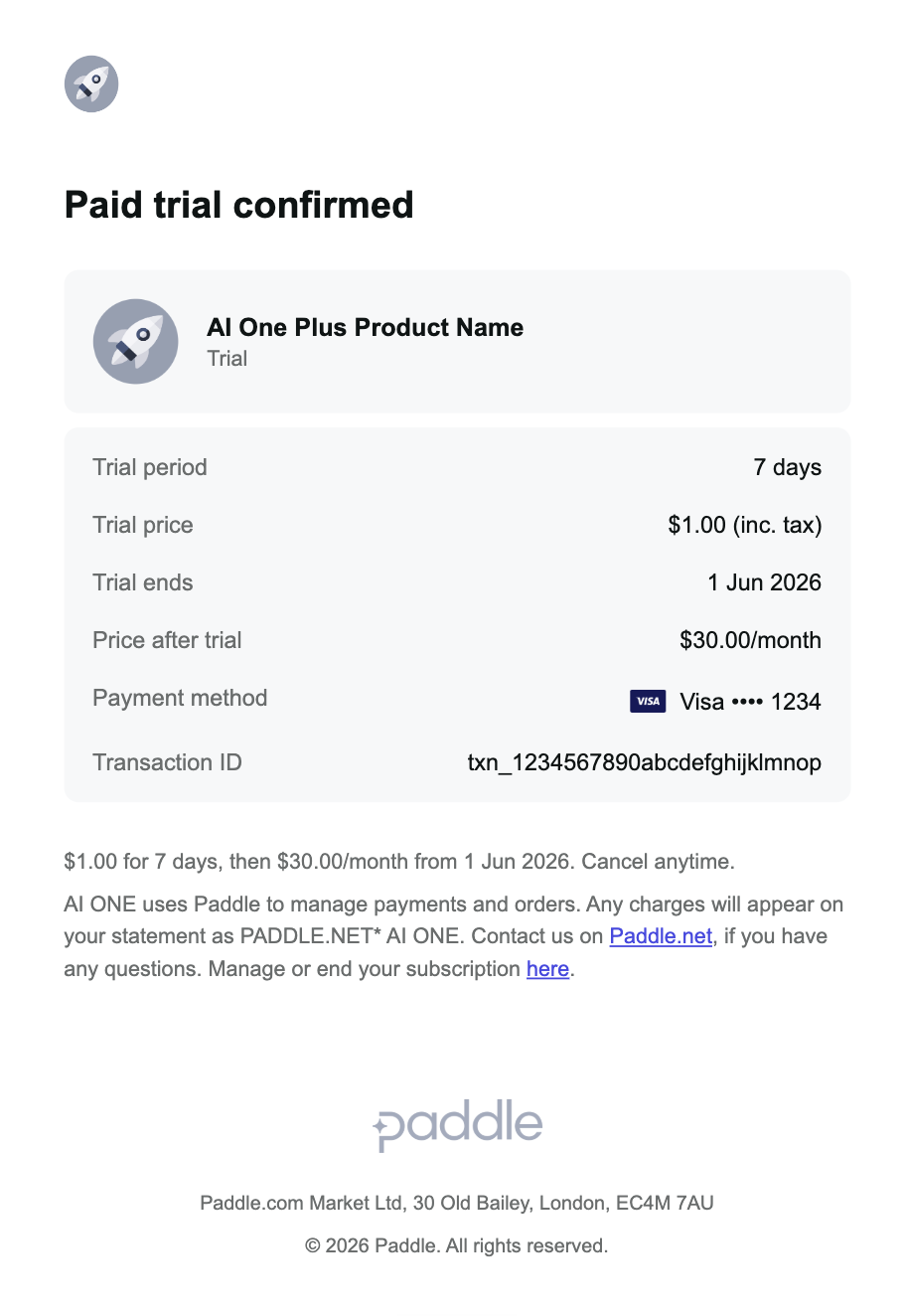
Enhanced Billing Notifications
To comply with increasing regulatory requirements and card scheme rules, we’ve introduced Enhanced Billing Notifications. When required, these notifications will automatically inform buyers of key billing events, ensuring transparency and reducing the risk of chargebacks.
We have developed these notifications with input from our Design, Legal, and Compliance teams to deliver a targeted, nuanced solution, that ensures optimal performance while ensuring compliance.
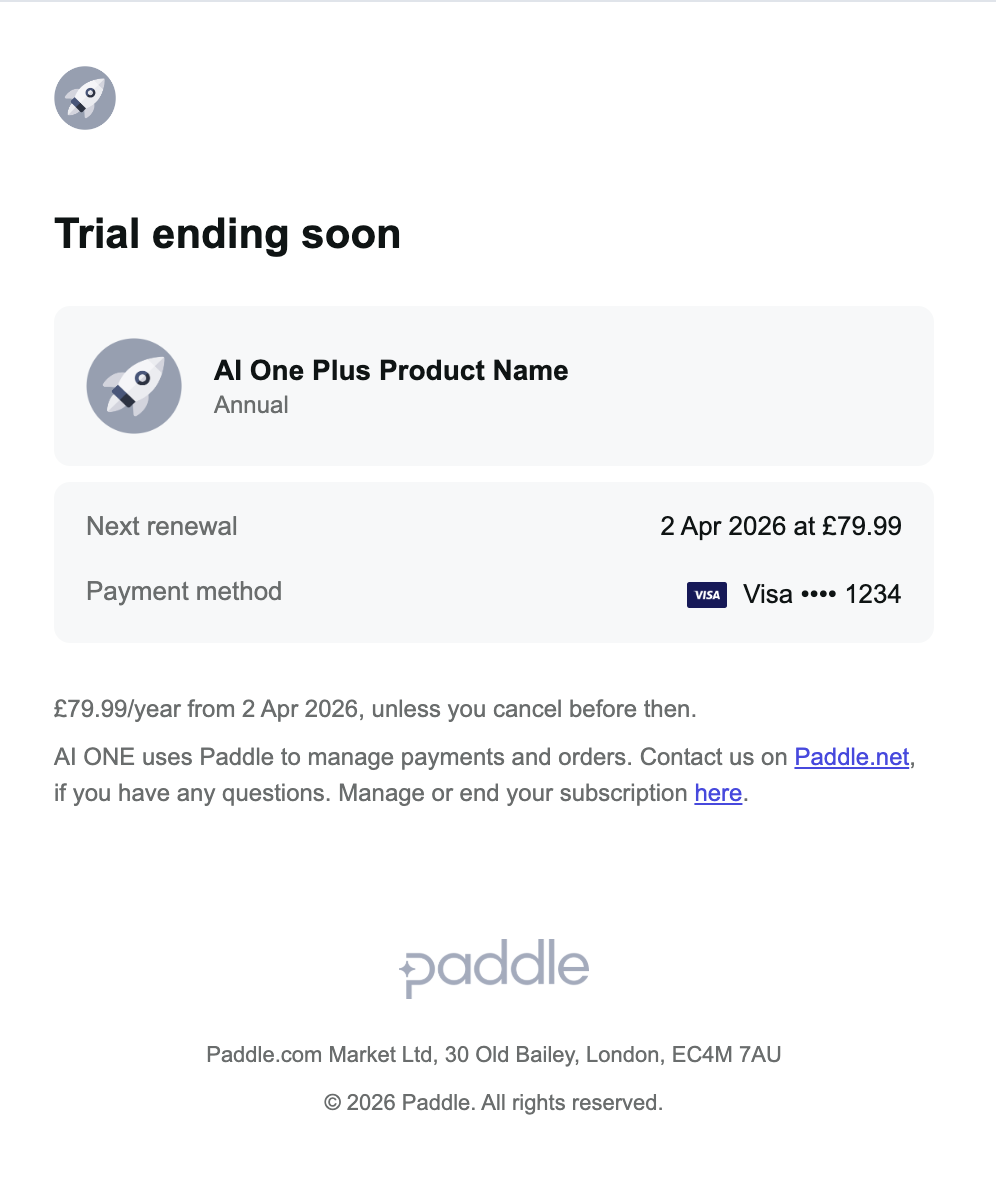
Trial End Reminder
All customers will receive an email notification at least 7 days before their trial ends. Card scheme rules require this reminder.
For trials that are 7 days or less, this Trial End Reminder will not be sent. Paddle will only send the Subscription Confirmation email.
Existing design
Subject Line: Your Company Name free trial is about to end

New design
Subject Line: Trial ending soon
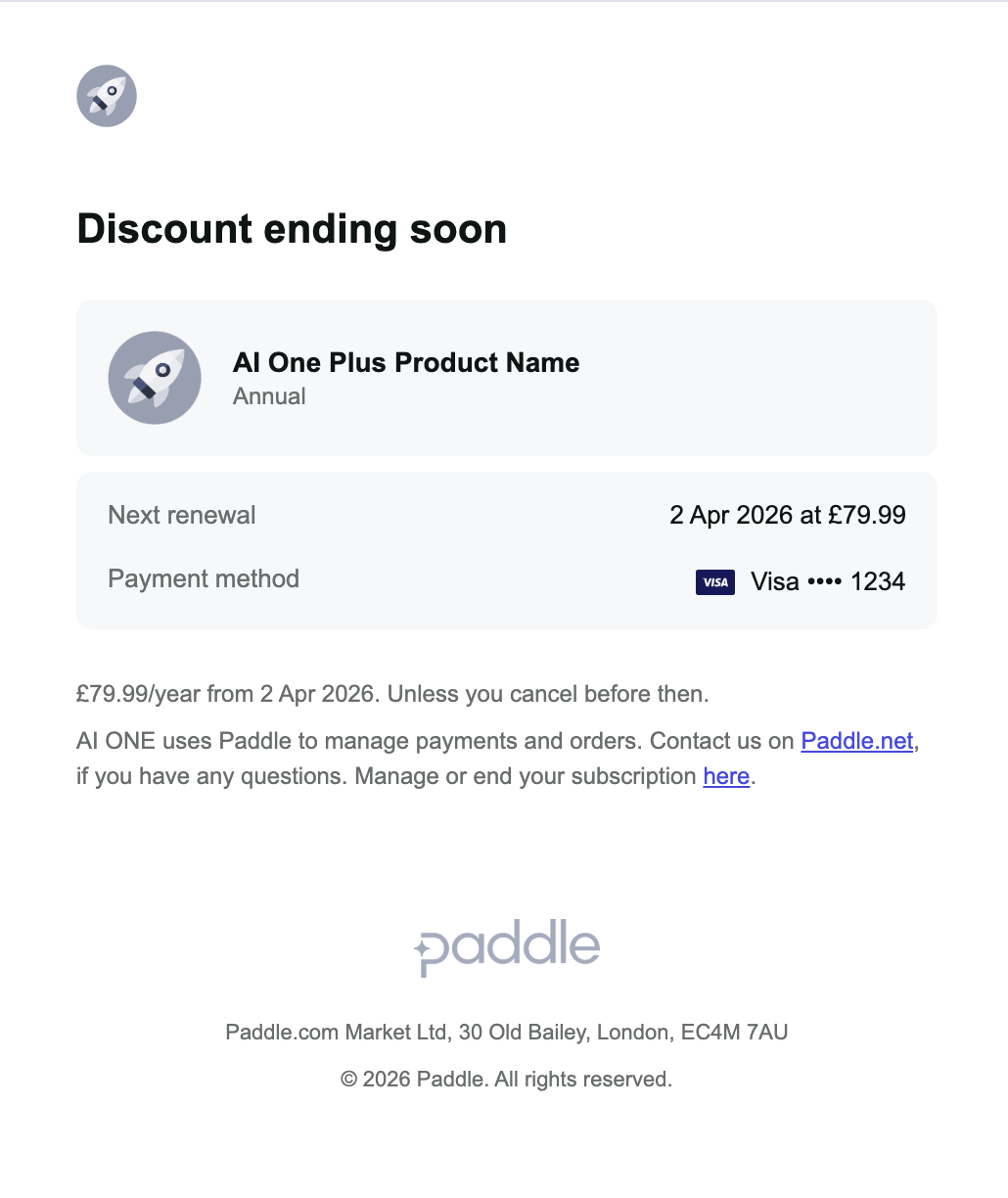
Discount Period End Reminder
All customers will be notified via email at least 7 days before a discounted period concludes. Card scheme rules require this.
Existing design
Subject Line: Your Company Name discount is about to end

New design
Subject Line: Discount ending soon
Auto-Renewal Reminder
We will only send auto-renewal reminder emails to customers in locations where it's required by law, and only for subscriptions of 6 months or longer (i.e. 180 days or longer). Customers will get this email notification either 7 days or 30 days before the auto-renewal.
Existing design
Subject Line: Your Company Name subscription is about to renew

New design
Subject Line: Subscription renews soon
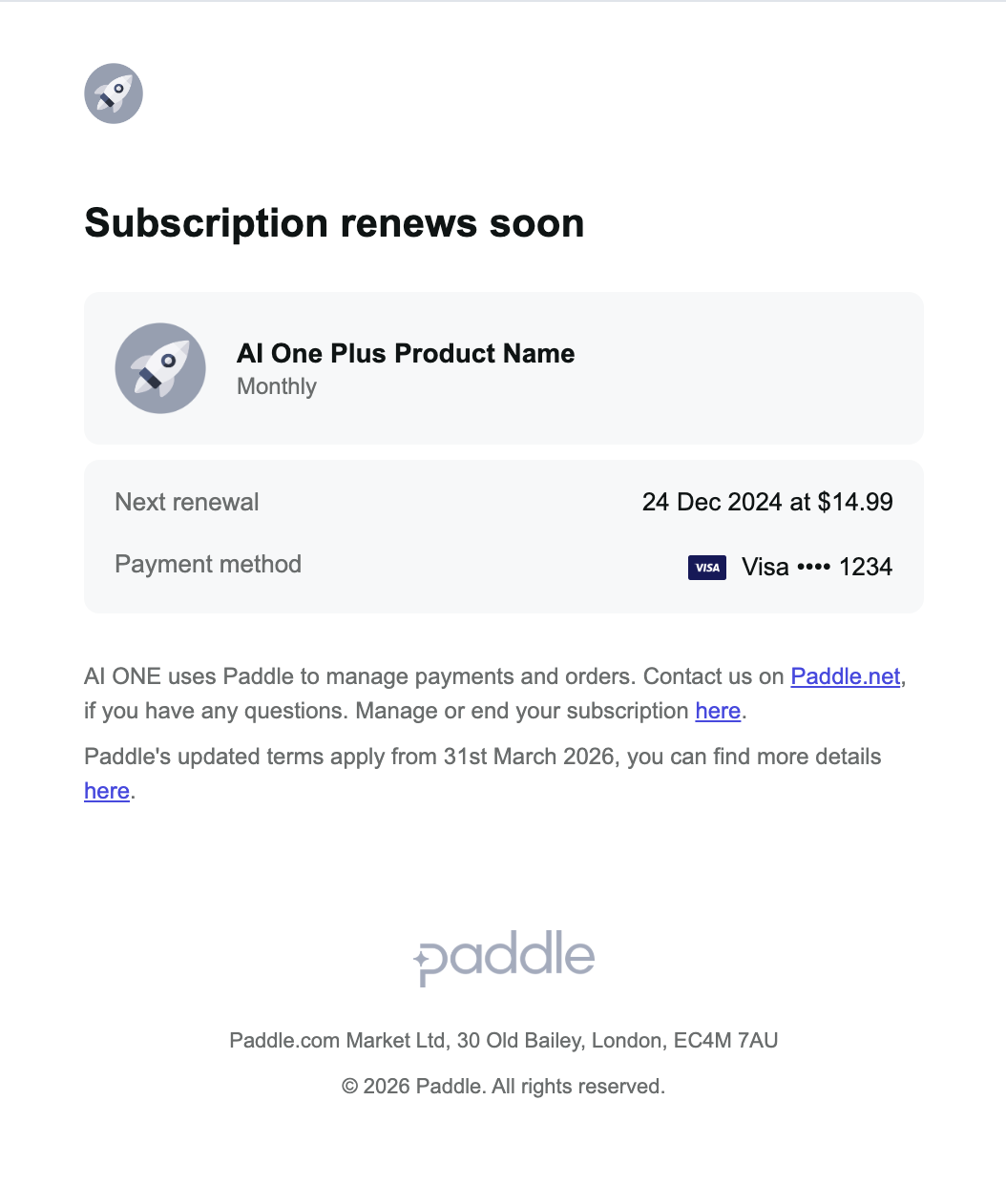
We will only send auto-renewal emails in locations required by law. See the list of locations here.